
All rights reserved.
Pos Static Footer module
Create text, images, banners, videos, tables or any other type of static footer.
And here you can find out more about theme updates, new features and about our upcoming themes:
- Follow us on Facebook
- Follow us on Twitter
- Follow us on Posthemes
PosThemes,
Frontend Appearance
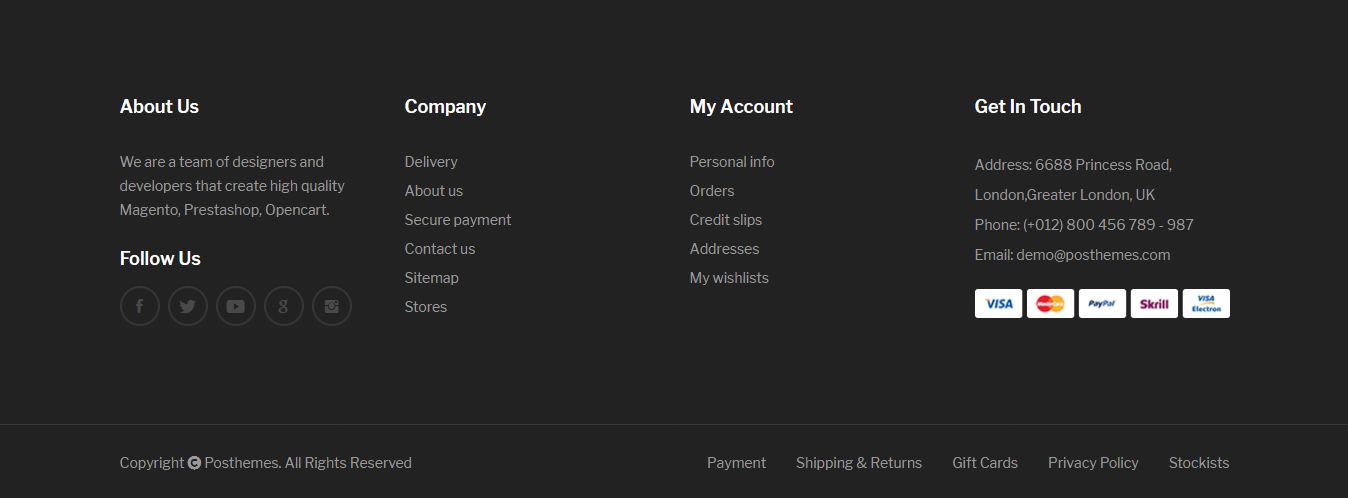
How to add new static block
- Login your Prestashop admin
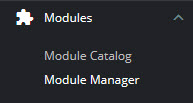
- Go to Modules > Modules Manager
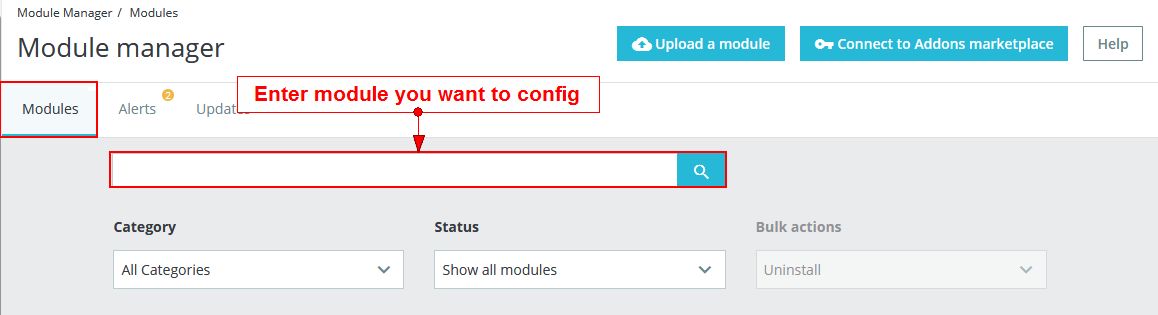
- Choose “Installed modules” tab
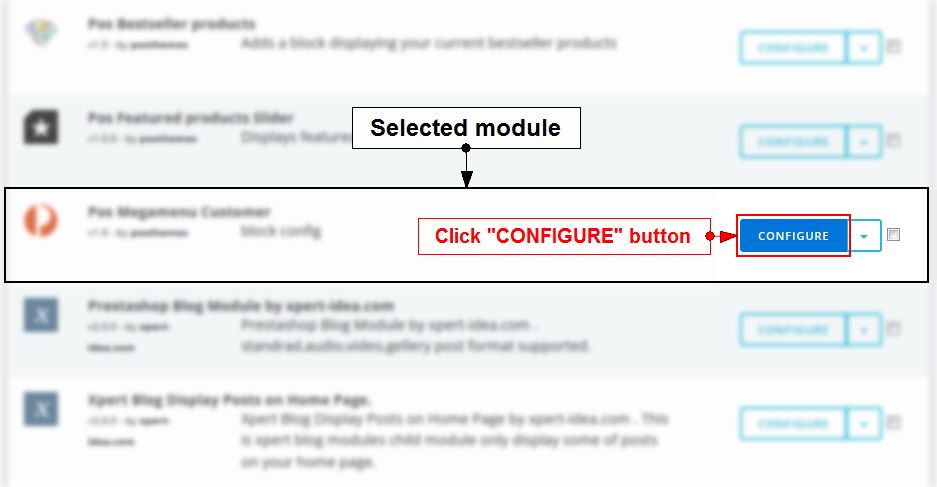
- On Pos Static Footer module, click "Configure" button.
- Click the New block button
 then add the info for the new static block.
-
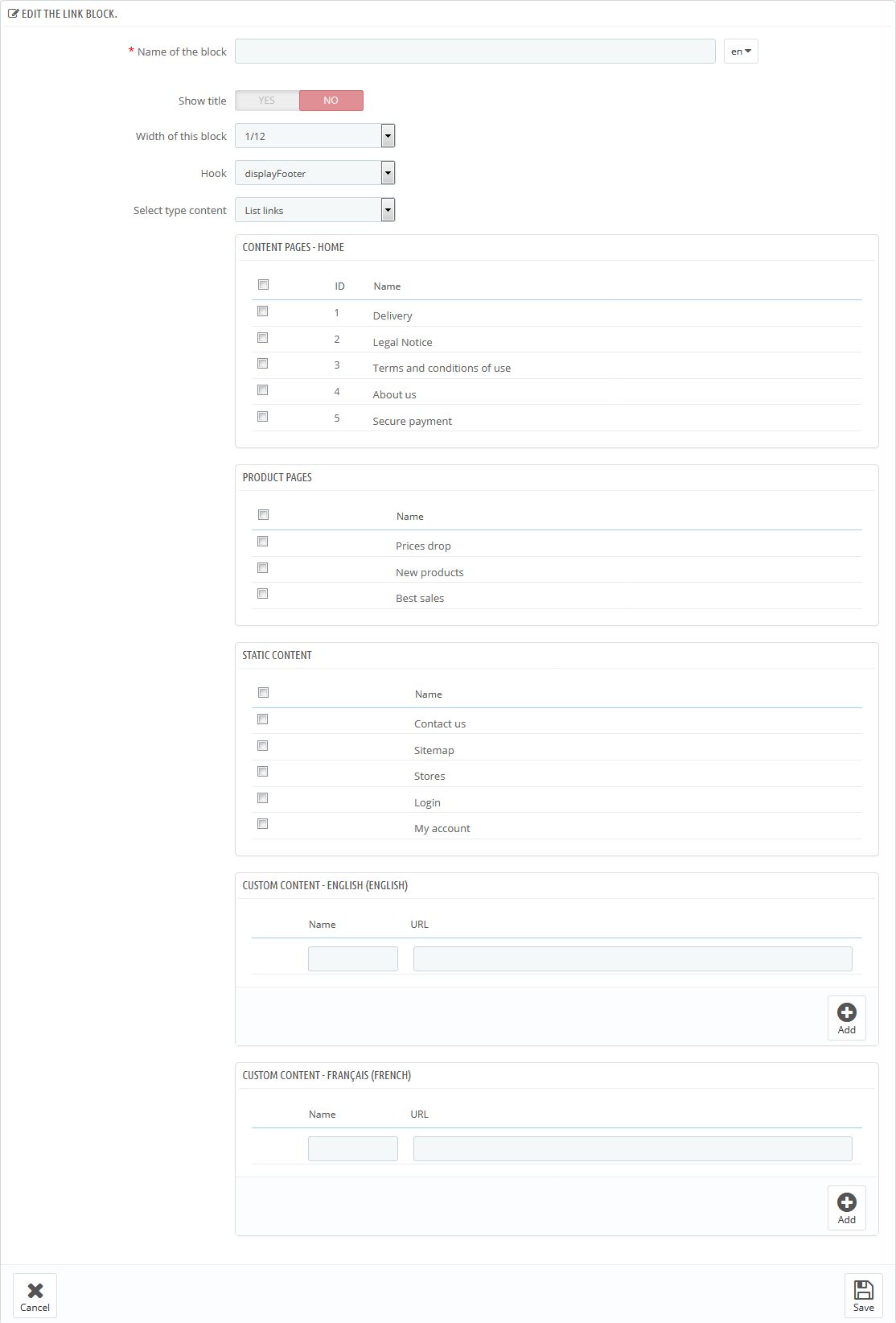
We got:
- Name of the block: Add staticblock title
- Show title: Choose Yes/No to show title or not
- Width of this block: Configure column-width. The maximum of columns is 12 based on the bootstrap columns format.
- Hook: Select hook for this static block
- Select type content:
- List Links: Select link or add external link as you need
- Custom Content: Custom static blocks or select module to display on homepage.
- Click Save button when you finish
Note: Theme's hooks position in Front-office
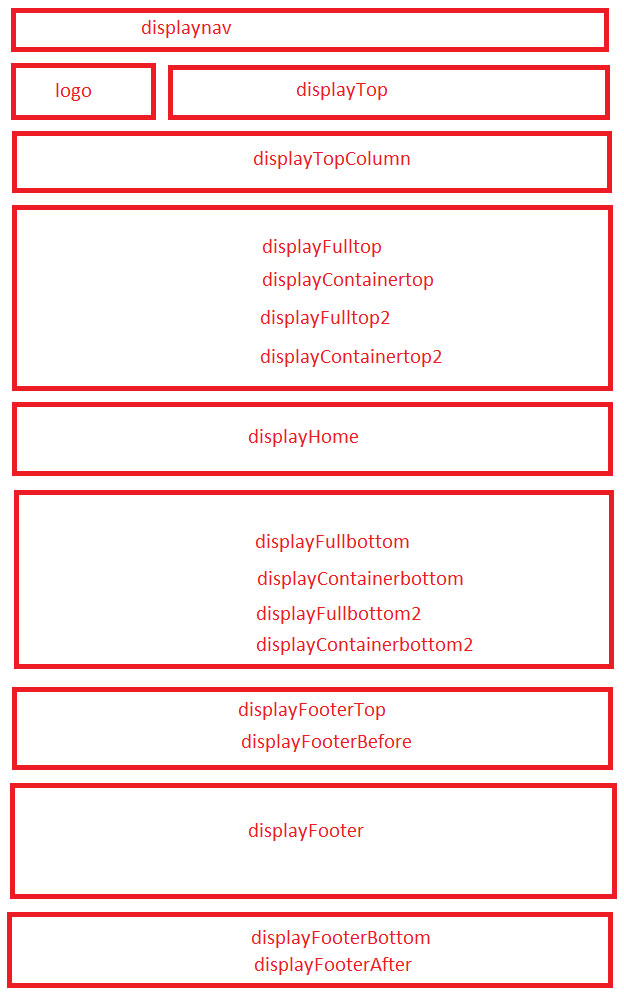
Configure Pos Static Footer module
Configure static blocks in the Pos Static Footer module and add them to any place on the page.
- Login your Prestashop admin
-
Go to Modules > Modules Manager
-
Choose “Installed modules” tab
-
On Pos Static Footer module, click "Configure" button.
-
Click Edit on selected static footer and then configure parameters as you want
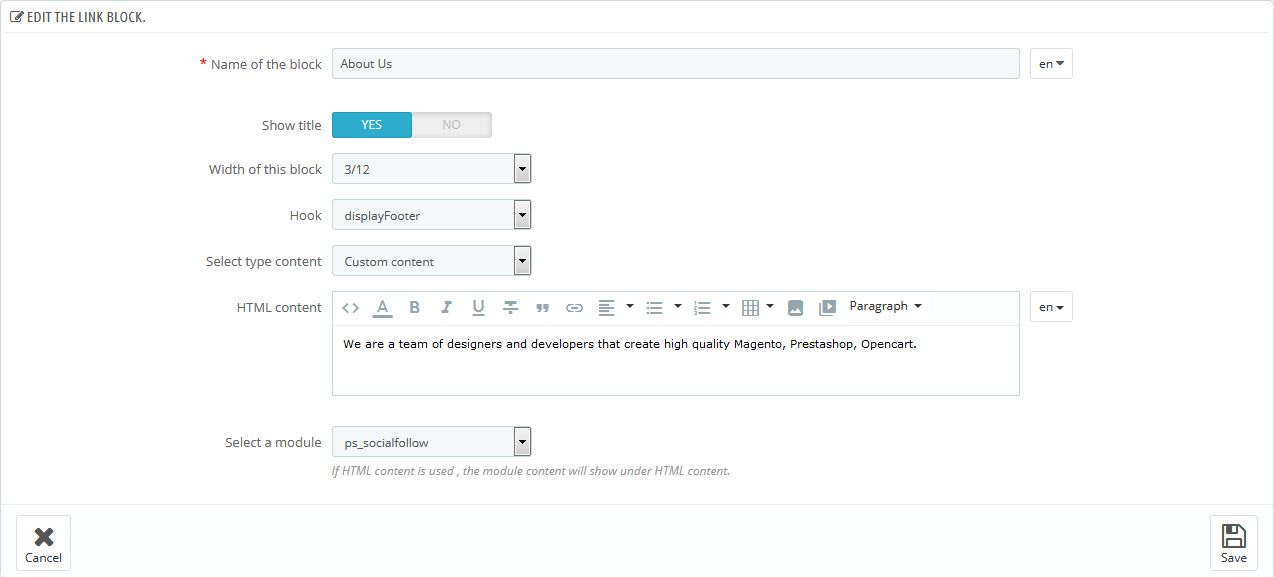
- Click Save button when you finish
Note: With drag and drop, you can rearrange the structure and elements at the footer
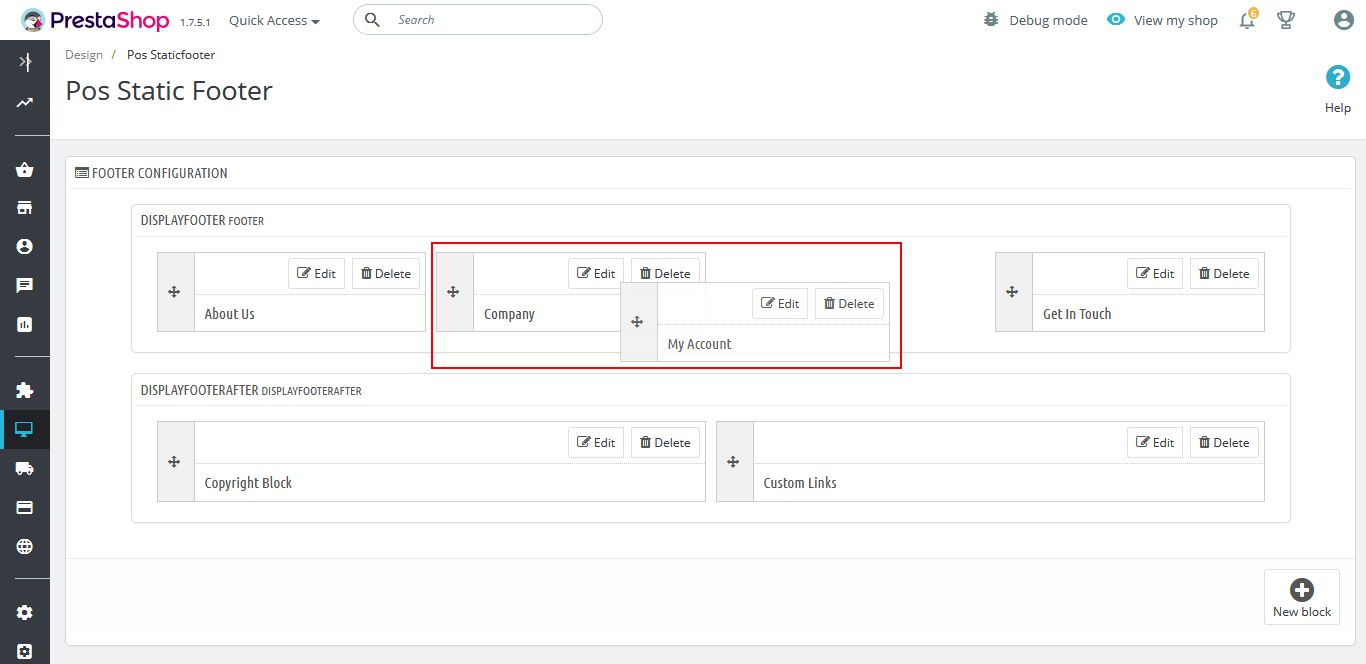
Translate module
Translate Title
- Login your Prestashop admin
- Go to Modules > Modules Manager
-
- Choose “Installed modules” tab
-
- On Pos Static Footer module, click "Configure" button.
-
- Click Edit on selected static block and then click
 to choose language you want to translate.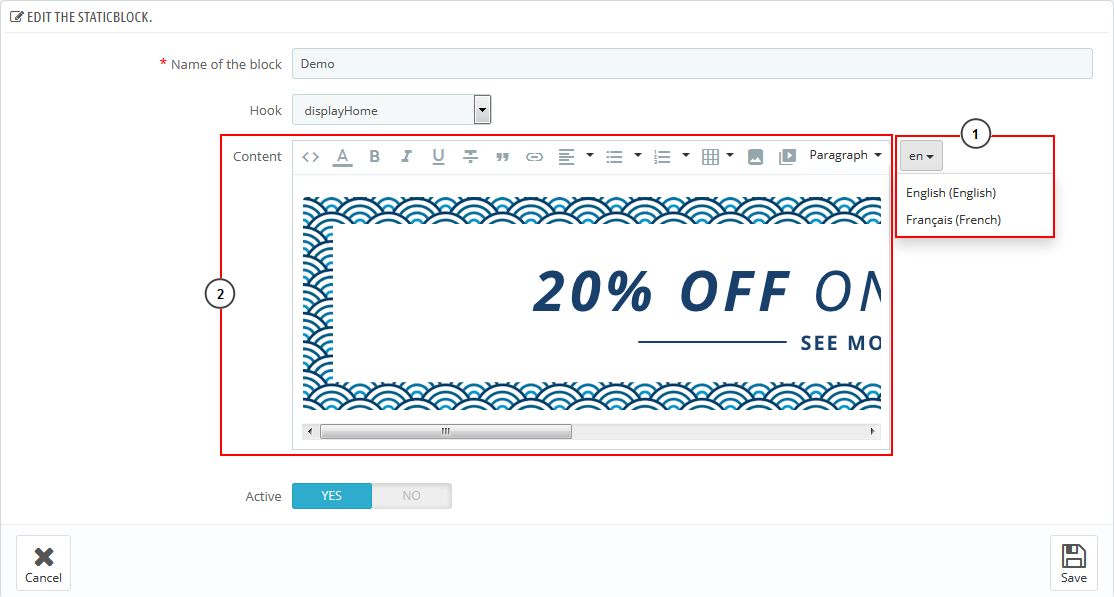
- At Name of the block, HTML content, translate text of this staticblock.
- Click Save button when you finish
Translate List Link
- Login your Prestashop admin
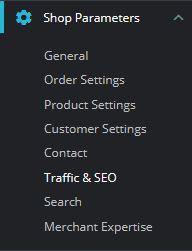
- Go to Shop Parameters > Traffic & SEO
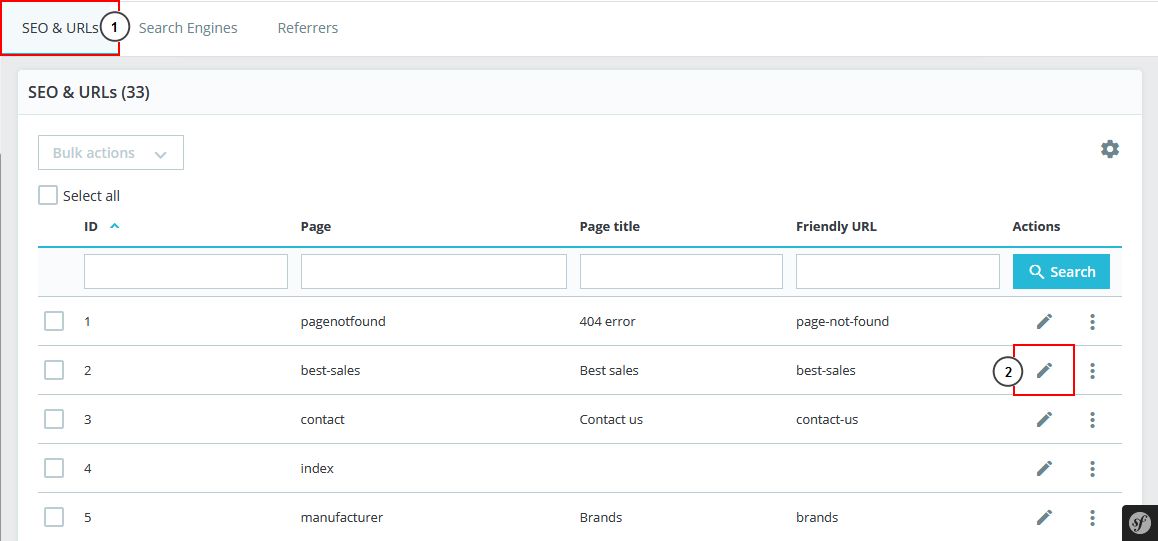
- Click on SEO & URLS tab
- At SEO & URLs part, click Edit on selected page.
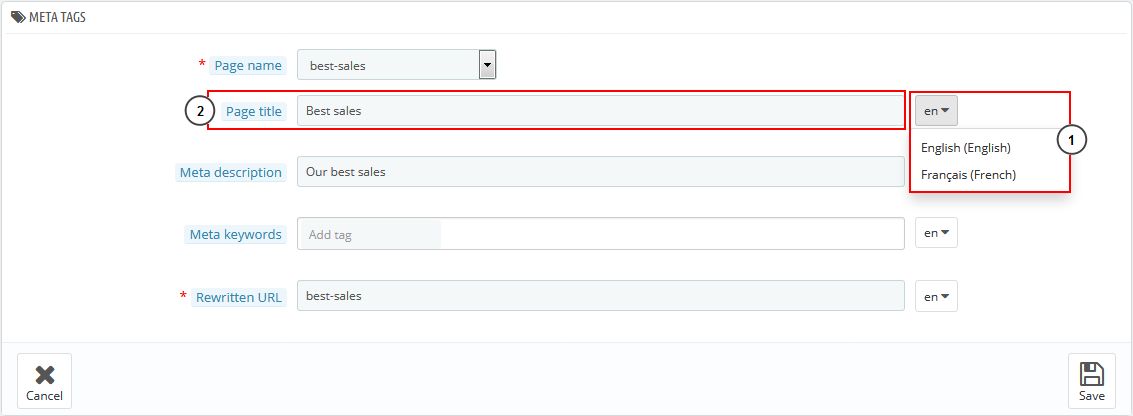
- Click to choose language you want to translate.
- At Page title , enter your language & click Save button when you finish
Posthemes Support
Support Working time: Monday - Friday
Estimated ticket and answers review time: 1-3 business days.
We have hundreds of questions and provide answers asap, but this can take up to 3 days after your submitted request. Please be patient and wait for answer.
Send us email to posthemes@gmail.com.